Images 2.6 GIF Maker
How to make a looping GIF with Images 2.6 from a text prompt, choose frames and speed, and write a prompt that loops cleanly.
Last updated: 2026-11-06
GIF mode on this site is a text to GIF generator: it turns a prompt into a short looping GIF with Images 2.6. You describe what moves, choose how many frames there are and how fast they play, and download a GIF file. The default is 9 frames at normal speed, which makes a 1.8 second loop.
Can ChatGPT make GIFs?
Yes. Since Images 2.6, a prompt or an uploaded photo can become a GIF in ChatGPT, and you can change the playback speed and view and edit single frames there. This site is a separate, independent tool with a simpler GIF mode: you write a prompt, set frames and speed before the run, and get a finished file.
How to make a GIF with Images 2.6
- Open the generator and sign in with Google. New accounts start with 20 credits.
- Choose the GIF tab.
- Describe the subject and the motion in your prompt.
- Pick Flare or Sunburst, then set Quality, Frames, Speed and Planning.
- Check the cost under the button and press Generate.
- Download the GIF when it appears. Your last 12 runs stay listed under the result.
How to write a GIF prompt that loops cleanly
A loop looks clean when its last frame leads back into its first. Four habits help:
- Name the subject and the motion. “A blue robot waving one hand” gives the model more to work with than “a cute robot”.
- Keep the camera fixed. Say “fixed camera”. Camera moves are hard to bring back to the starting point.
- Use a plain background. A flat color or simple backdrop gives the eye less to notice when the loop restarts.
- Say “seamless loop”. Put those words at the end of your prompt.
Motion that naturally repeats suits a loop well: waving, blinking, a tail swaying, an object spinning, a bounce. Here are three samples of what the model makes, each with a prompt you can adapt.
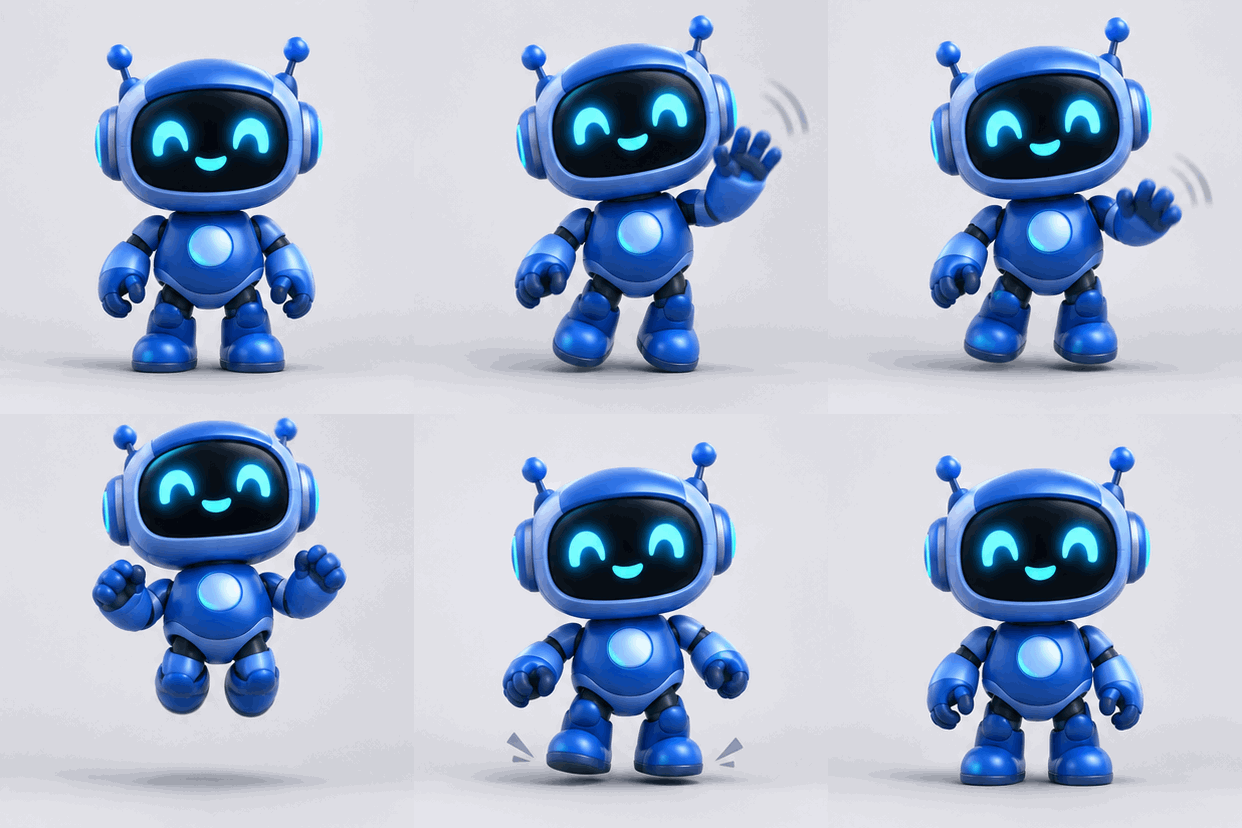
Mascot, 9 frames. Friendly blue robot mascot with round eyes waving one hand hello, gentle bounce, flat cartoon style, fixed camera, plain pale background, seamless loop.
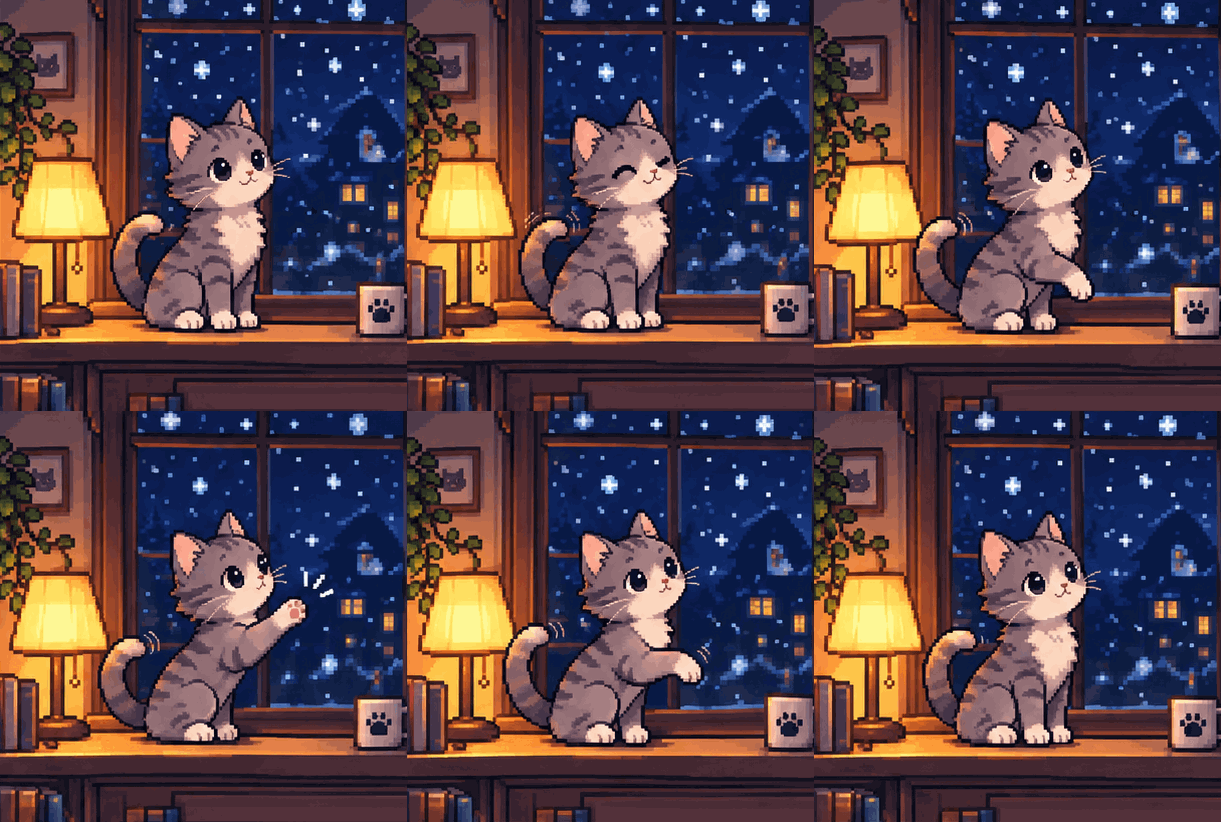
Pixel art, 9 frames. Pixel-art gray cat sitting by a frosty window, tail swaying gently while snow falls outside, fixed camera, soft blue palette, seamless loop.
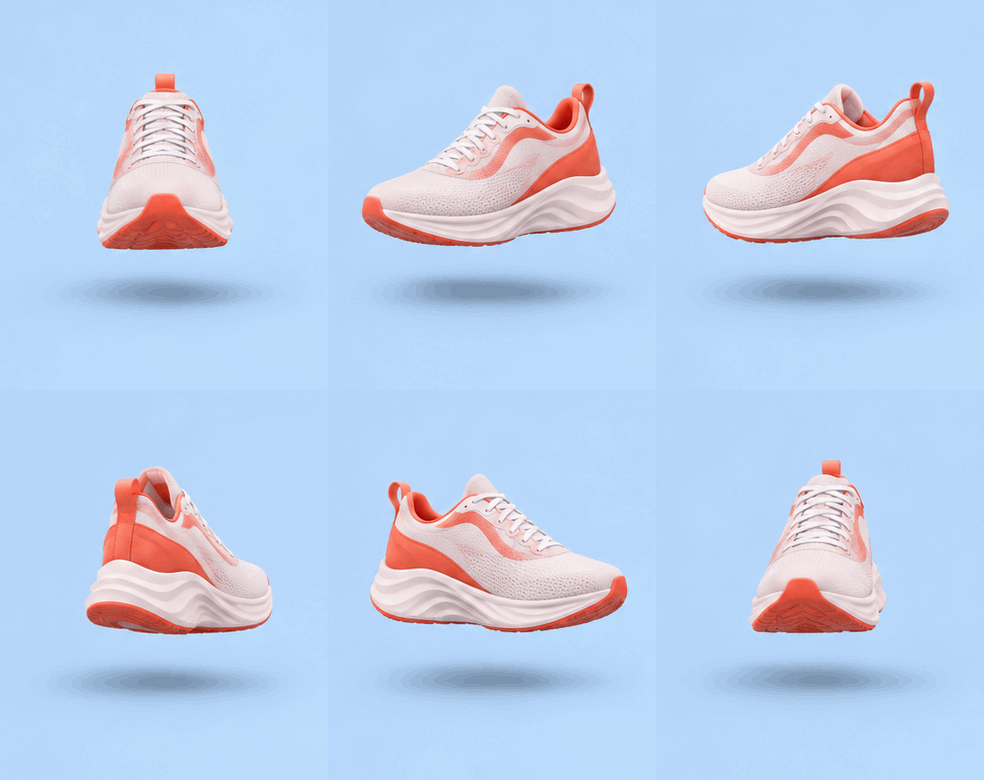
Product spin, 12 frames. Coral running sneaker turning slowly on the spot, soft studio light, fixed camera, plain light gray background, seamless loop.
How many frames should a GIF have?
More frames give the motion more steps, and the speed setting decides how long each step stays on screen. Loop length is frames times milliseconds per frame, so 9 x 200 ms = 1.8 seconds. Slow is 300 ms per frame, Normal is 200 ms and Fast is 100 ms.
| Frames | Slow (300 ms) | Normal (200 ms) | Fast (100 ms) |
|---|---|---|---|
| 6 | 1.8 s | 1.2 s | 0.6 s |
| 9 | 2.7 s | 1.8 s | 0.9 s |
| 12 | 3.6 s | 2.4 s | 1.2 s |
| 16 | 4.8 s | 3.2 s | 1.6 s |
As a starting point, try 6 frames for a small movement like a blink, 9 for a wave or a nod, and 12 or 16 for something that needs more steps, like a full spin.
Why a GIF jumps or flickers, and what to change
A loop can jump or flicker because of the prompt or the model itself. These changes often help, though none of them guarantees a seamless result.
- The loop jumps when it restarts. Ask for the motion to finish where it began, for example “raises one paw, then returns to the starting pose”.
- The subject changes shape between frames. Cut the scene down to one subject and one movement, then raise Quality. Try Sunburst if details keep shifting.
- The background shimmers. Ask for a flat color or a “static background”, and keep “fixed camera” in the prompt.
- The motion feels too fast. Choose Slow, or use more frames. 16 frames at Slow gives you the longest loop here, 4.8 seconds.
- The motion feels choppy. Use more frames at the same speed, because each step in the movement gets smaller.
- Words wobble. Keep on-screen text to a word or two, and check every run before you share it.
To save credits while you tune a prompt, test the motion at Low for 10 credits, then rerun the version you like at Medium or High.
Do I need to convert a video to GIF?
No. GIF mode gives you a GIF file directly, so there’s no video step and no converter involved.
Can I make a GIF without signing up?
No. You sign in with Google to generate here, and new accounts get 20 welcome credits with no card needed.
What a GIF costs
A GIF costs 10 credits at Low quality, 15 at Medium and 25 at High. Frames and speed don’t change the price, Flare and Sunburst cost the same, and Planning adds nothing. If a run fails or the safety filter blocks it, the credits come back automatically.
Your 20 welcome credits cover 2 Low GIFs or 1 Medium GIF. A Starter pack of 200 credits at $9.90 covers 13 Medium GIFs, Plus covers 33 and Pro covers 100.
Limits of the GIF maker on this site
- Text prompts only. You can’t upload a photo to animate here. ChatGPT offers that, this site doesn’t.
- Square frames at 512x512. The aspect ratio option doesn’t apply to GIFs.
- Up to 16 frames. You can choose 6, 9, 12 or 16.
- No frame-by-frame editing. To change a GIF, adjust the prompt and run it again.
- One GIF per run.
What to make with it
GIFs from Images 2.6 suit characters, mascots, product shots, sketches, reactions and storyboards. A looping mascot for a landing page, a turning product for a shop listing, or a reaction sticker for a group chat are all good first tries. Flare or Sunburst? Our Flare vs Sunburst guide helps you choose, and What Is Images 2.6? covers the rest of the release.